

My emailed document hasn't appeared
PlanStandard and Professional
If you forwarded an invoice, receipt or quote to your project email address and nothing has turned up, work through the checks below. Most problems come down to the sender, the address or the attachment.
Before you start
Emailing documents in is part of the Standard plan. A forwarded invoice or receipt becomes a draft payment, and a forwarded quote becomes a draft quote. Drafts appear in To review.
Steps
- Select the Settings (cog) icon in the header, then scroll to the Email documents in section.
- Compare the address in Project email address with the one you sent to. Choose Copy address to copy it exactly.
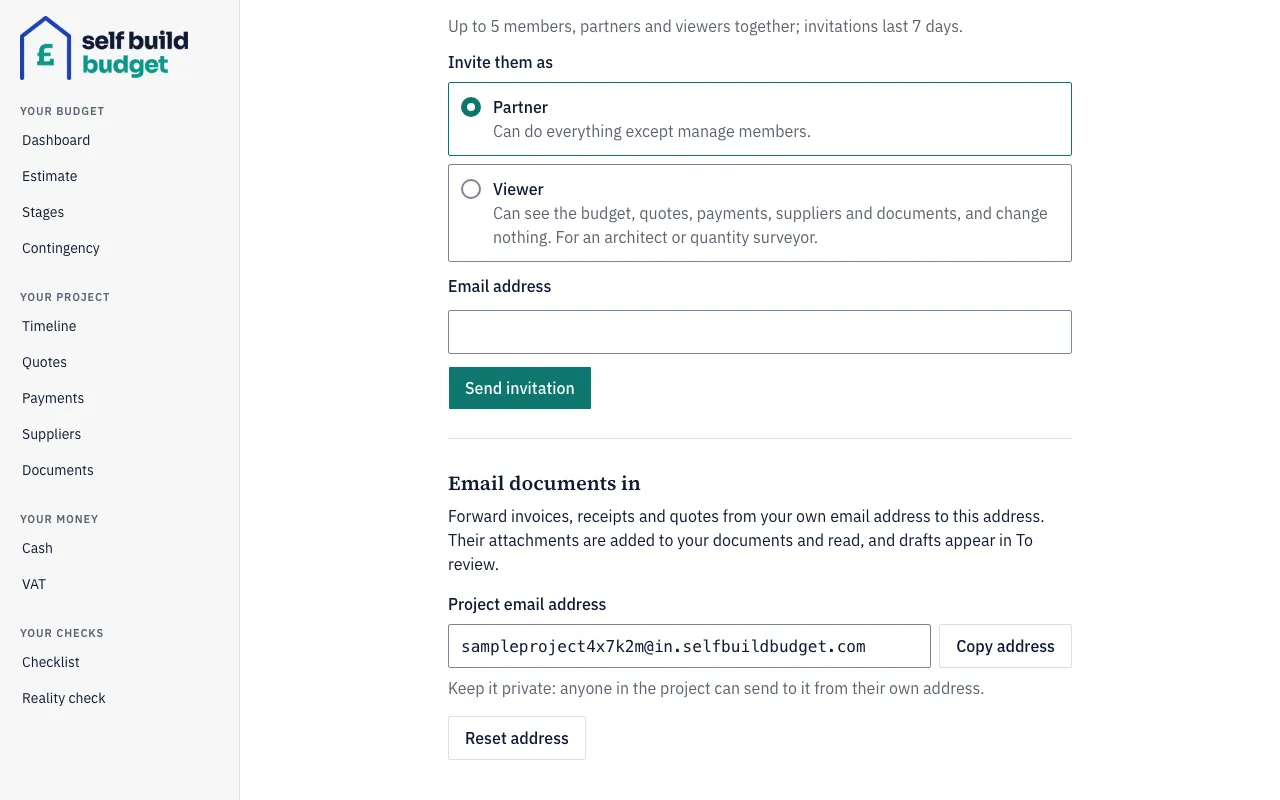
- If the addresses differ, the owner may have chosen Reset address. Emails sent to the old address are no longer accepted. Forward the document again to the new address.
- Check who sent the email. Only the owner’s and partners’ email addresses are accepted. If the email came from anyone else, nothing is saved and no reply is sent, so you won’t see an error.
- Check your role. A viewer can’t email documents in, so a viewer’s forward isn’t added.
- Check the attachments. Only PDFs and images can be added. If an email has a PDF and a Word file, the PDF is saved and the Word file is skipped. You get an email saying, for example, “notes.docx was skipped: only PDFs and images can be added”.
- Check your plan. If the project has dropped to the Free plan, emailing documents in is paused and nothing is added. A member who sent the email gets an email at their own account address with the subject “Your emailed documents weren’t added: email-in is paused”, at most once a day.
- Check whether you sent the same email twice. If the same message arrives again, no duplicate documents are created.
Good to know
- An email with no attachment isn’t refused. The email itself is saved as a PDF document and the app reads it.
- Keep the project email address private and treat it like a password. If it gets out, the owner can choose Reset address in Settings to get a new one.
- Resetting the address stops the old one working straight away, so tell the people on your project the new address.
- Partners can see the project email address and use Copy address, but only the owner can reset it.
- A message for a non-member gets no reply, so silence doesn’t mean the address is wrong. Check the sender first.
- If an email was only partly added, look for the “skipped” email. It names each file that was left out.
Who can do this
The owner and partners can email documents in and see the project email address. Only the owner can reset it. A viewer can’t email documents in.
On Free, this page is locked. See what each plan includes