

Your budget, cost range and planning figure
PlanAll plans, including Free
Self Build Budget compares what your lines add up to with the money you have set aside, and tells you where you stand. This article explains the numbers and the three statuses: Covered, At risk and Short.
Where to see them
The figures sit in the panel on the right of the Stages page. On a desktop, choose Stages in the menu on the left. On a phone, tap the Budget tab at the bottom of the screen, then the Stages tab at the top.
The three numbers
Cost range is what your lines add up to, from low to high, including VAT. It moves as your project does. Payments and accepted quotes above a line’s high push it up. It can also fall, for example when you lower a line’s figures or a finished line cost less than its range. It already includes the contingency left, so don’t add Contingency left on top.
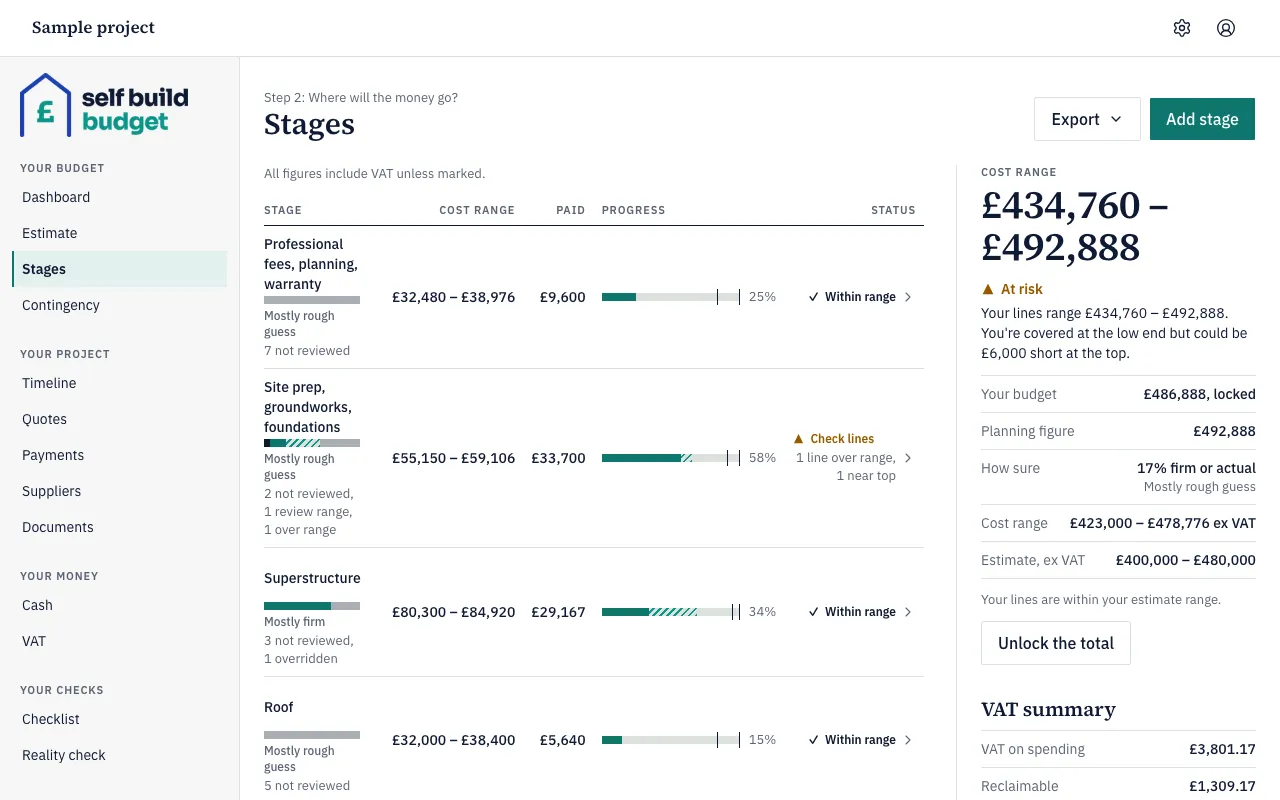
Planning figure is the top of the whole project’s cost range. A single line or stage doesn’t have one. On the Stages page above, the cost range is £434,760 to £492,888, so the planning figure is £492,888. The app uses it wherever a single number is needed, such as exports.
Your budget is the money you have set aside for the build. It is one figure, including VAT, never a range. You set it by locking the total, and it doesn’t change when your lines do. For how to set it, see Lock or float your budget.
Floating until you lock
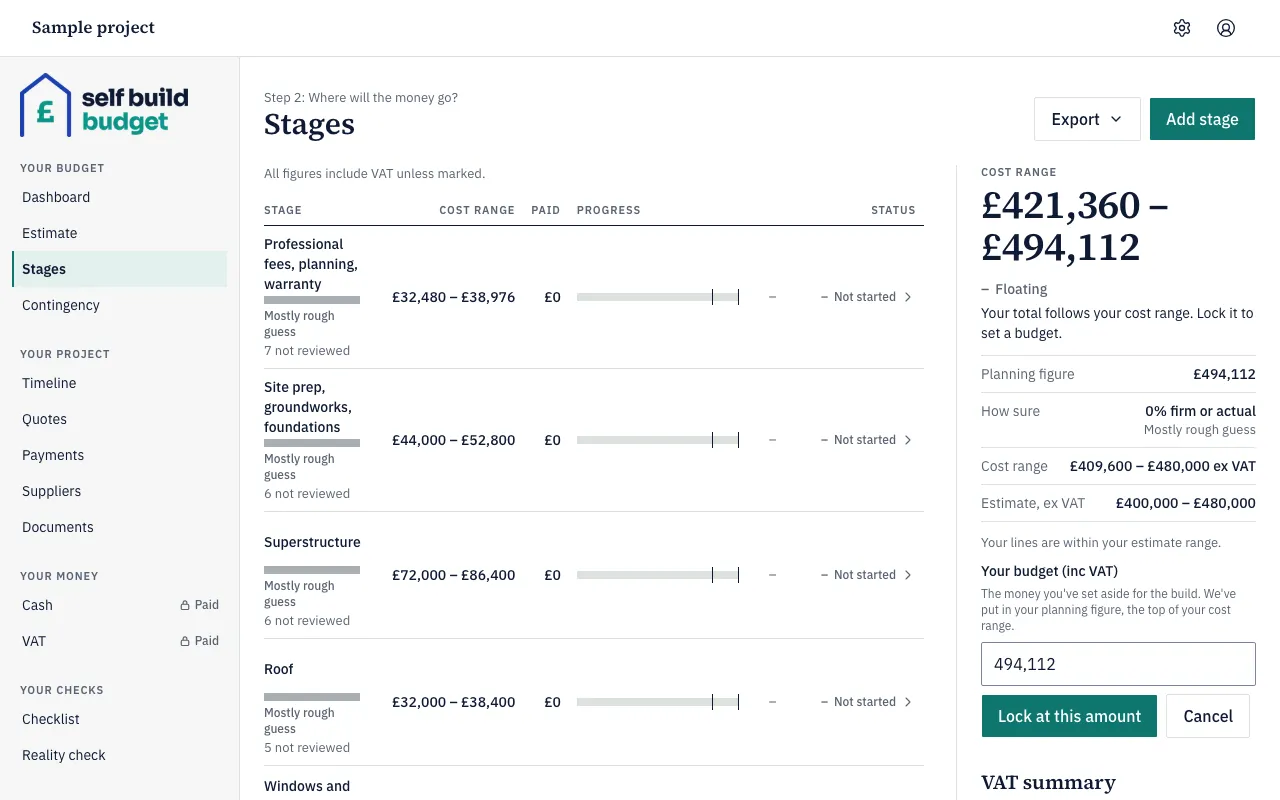
Until you lock the total, it is Floating. The panel shows your cost range and says “Your total follows your cost range. Lock it to set a budget.” There is no Your budget figure and no Covered, At risk or Short yet.
Covered, At risk and Short
Once Your budget is locked, the app compares it with your cost range. The status is one of three.
- Covered: even the top of your cost range fits within Your budget. If your budget is £485,000 and your cost range is £440,000 to £478,000, the status is Covered. The panel says “You’re covered even if everything comes in high.” A top that is exactly equal to Your budget is also Covered.
- At risk: the bottom of your cost range fits within Your budget, but the top doesn’t. In the screenshot above, Your budget is £486,888 and the cost range tops out at £492,888. The panel says you’re covered at the low end but could be £6,000 short at the top.
- Short: even the bottom of your cost range doesn’t fit within Your budget. If your budget is £485,000 and your cost range is £495,000 to £530,000, the panel says “Even at the low end you’re £10,000 over.”
Good to know
- The cost range, planning figure and Your budget all include VAT. The VAT refund you expect doesn’t reduce them. The app shows the refund separately.
- Your estimate is separate. It is shown ex VAT beside the cost range, so the two won’t match.
- Your cost range can move up or down as you add quotes, record payments and finish lines. The status can change with it, even though Your budget stays the same.
- Your cost range already includes the contingency left. It is not extra on top.
- On Free, you can see the cost range, planning figure and Your budget on the Dashboard. Stages is a read-only preview. Setting Your budget needs Standard.
- If you unlock the total, Your budget goes and the total goes back to following your cost range.
The figures are a guide, not financial or tax advice.
Questions about the VAT claim? Email us.