How sure: Rough guess, Quoted, Firm and Actual
PlanAll plans, including Free
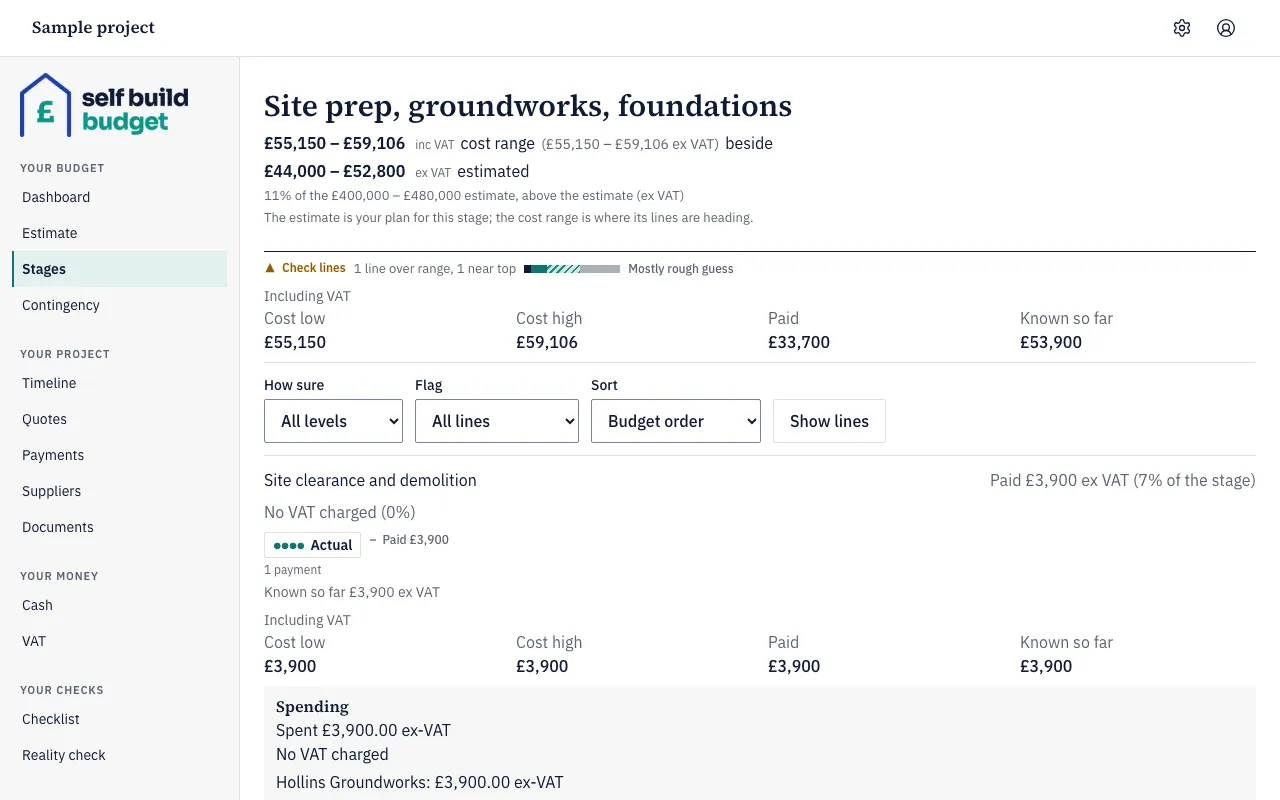
Every budget line says how sure you are of its figures, so your totals never look more certain than they are. There are four levels: Rough guess, Quoted, Firm and Actual. Each line’s badge on the Stages page shows its level. Changing a line’s level needs the Standard plan.
The four levels
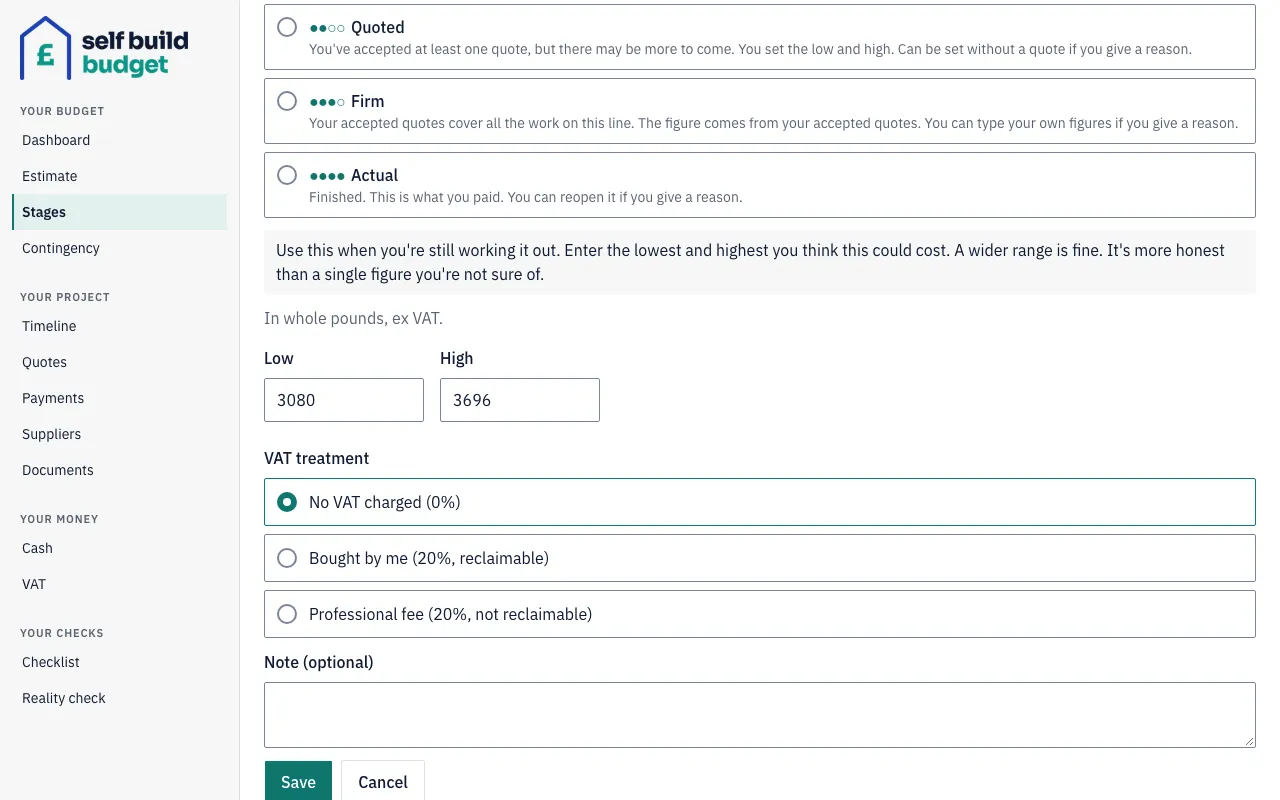
- Rough guess is your own estimate of the low and high. Use it while you’re still working a line out. A wide range is fine, and more honest than a single figure you’re not sure of.
- Quoted means you’ve accepted at least one quote, but there may be more costs to come. You set the low and high for the whole line, including any parts not yet quoted. For example, you’ve accepted the labour but not the materials.
- Firm means your accepted quotes cover all the work on the line. The figure comes from your accepted quotes, as a single figure with no range.
- Actual means the line is finished. It shows what you paid.
The badge also shows dots: one for Rough guess, two for Quoted, three for Firm and four for Actual.
Steps
- On a desktop, choose Stages in the menu on the left. On a phone, tap the Budget tab at the bottom of the screen, then the Stages tab at the top.
- Look at the badge on each line to see its level.
- To show only some levels, use the How sure list above the lines. It starts on All levels.
- To change a line’s level, follow the steps in Work with stages and lines. This needs the Standard plan.
On the Free plan, Stages is a read-only preview of your own stages and lines. You can see each level but not change it.
Moving a line up or down
Moving up to a firmer level usually follows from an accepted quote.
- Rough guess to Quoted: with an accepted quote on the line, you keep your typed range and no reason is needed.
- To Firm: you’re asked “Do your accepted quotes cover all the work on this line? If more costs could still come in, choose Quoted instead.” If you confirm, the line takes its figure from your accepted quotes.
- To Actual: choose Mark as finished from the line’s More menu, or choose Actual in the How sure list and save. The line then shows what you’ve paid. Mark a line finished, and reopen it covers this in full.
Moving a line up to Quoted or Firm without an accepted quote needs a reason. Type it in the Reason (required) field. The reason is saved in the line’s history, and the line is marked Overridden.
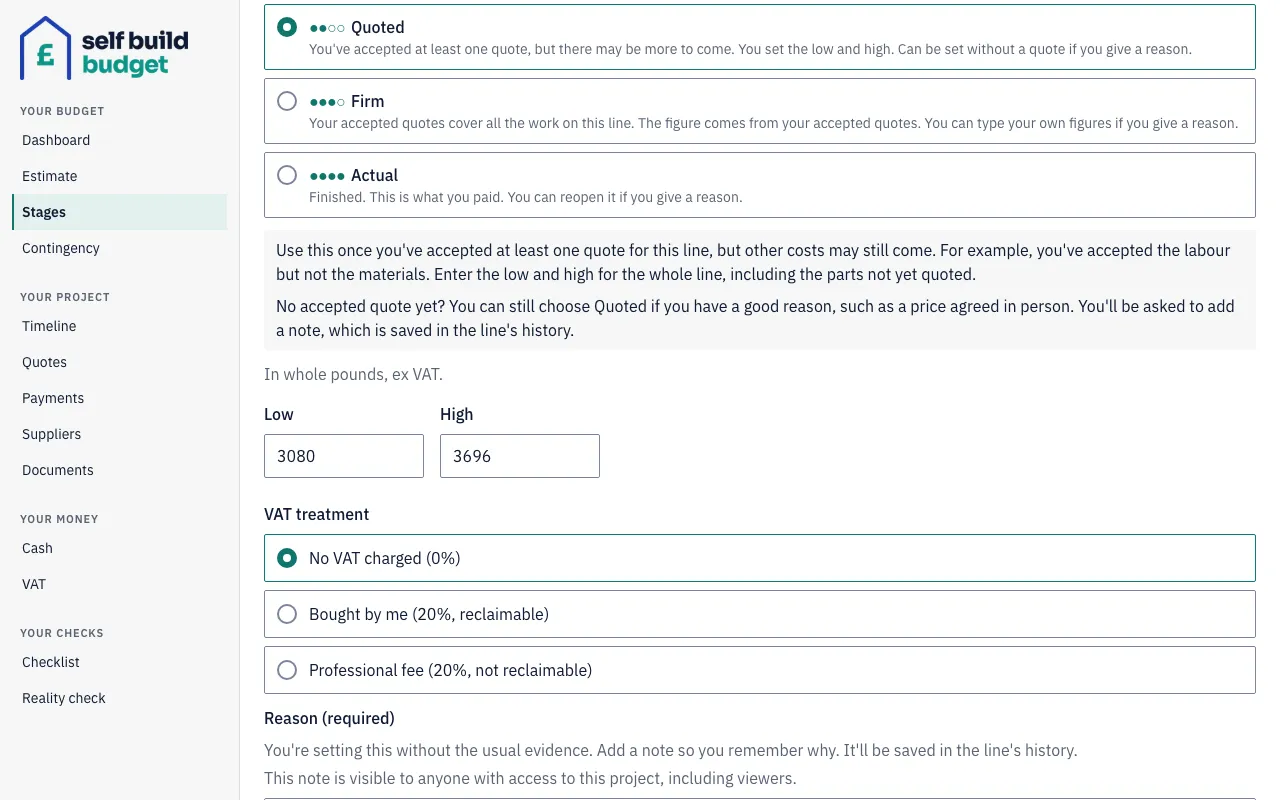
Moving down is simpler. Moving a line down to Rough guess never needs a reason, and it keeps the same figures. Moving a Firm line down to Quoted needs a reason only if the line has no accepted quote.
Good to know
- Overridden only means one thing. It’s a Quoted line with no accepted quote, or a Firm line with figures you typed yourself, each with a reason. Once a quote on a Quoted line is accepted, the line is no longer marked Overridden.
- Reasons are visible to everyone on the project. The note you add is visible to anyone with access to the project, including viewers.
- Firm lines follow your accepted quotes. A new accepted quote on the line is added in for you. To type your own low and high instead, choose Type my own figures instead and give a reason. The line is then Overridden, and its high can be no more than 5% above its low. For example, £20,000 to £21,000 is allowed. To go back, choose Use my accepted quotes.
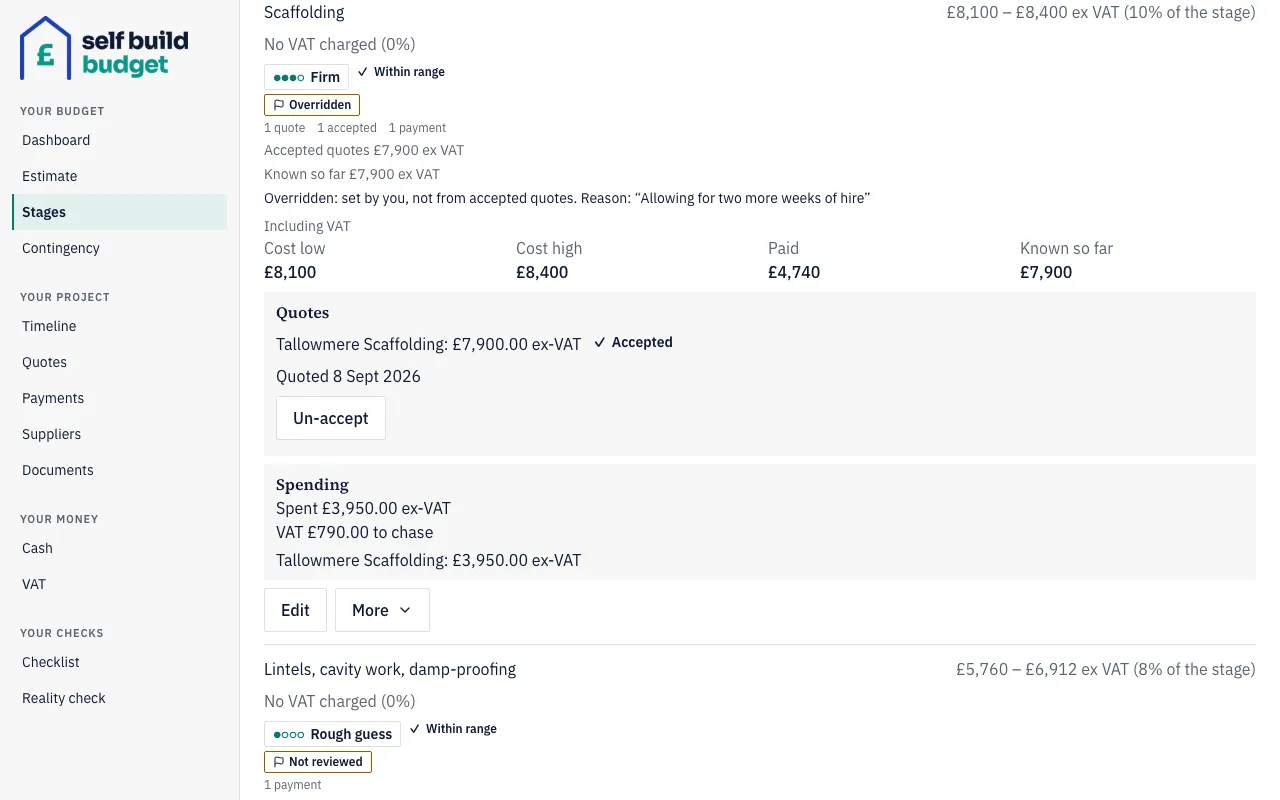
- Variations. Proposing a variation changes no figures. Once one is agreed, a Firm line that follows its accepted quotes updates by itself, with no flag. A Rough guess, Quoted or overridden Firm line keeps your figures and is flagged Review range. A variation funded from contingency adds its amount to the line straight away.
- Accepting a quote on a Quoted line doesn’t change your range. The line is flagged Review range, so you can decide whether its low and high still look right.
- Reopening a finished line always needs a reason. The line then returns to the level it had before you finished it.